



Description
x-
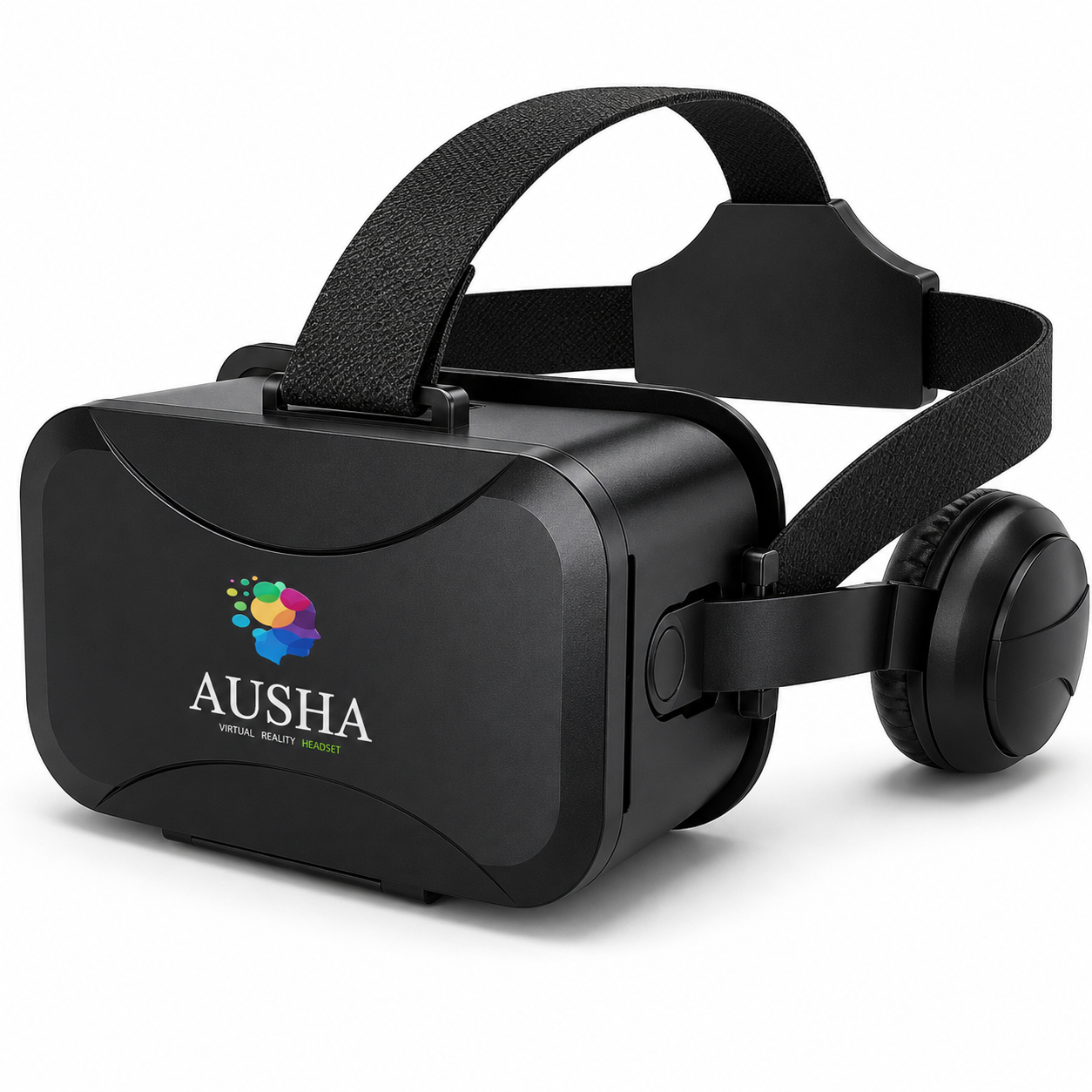
AUSHA 3D Mobile VR Glasses with Integrated Stereo Headphones
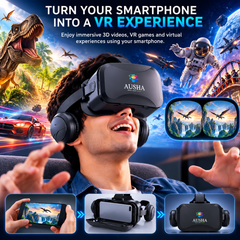
Turn your everyday smartphone into an immersive 3D entertainment experience with AUSHA 3D Mobile VR Glasses. Designed for smartphone-based virtual reality, this premium VR headset combines dual-lens optics, adjustable viewing controls, an immersive 120° field of view, integrated stereo headphones, adjustable head straps and soft facial padding to create a more engaging way to experience compatible VR videos, 3D movies, games and virtual experiences. Simply place your compatible smartphone inside the front compartment, align the split-screen content, adjust the viewing position and focus, put on the headset and step into a whole new visual world.
🌐 Your Smartphone. A Whole New World.
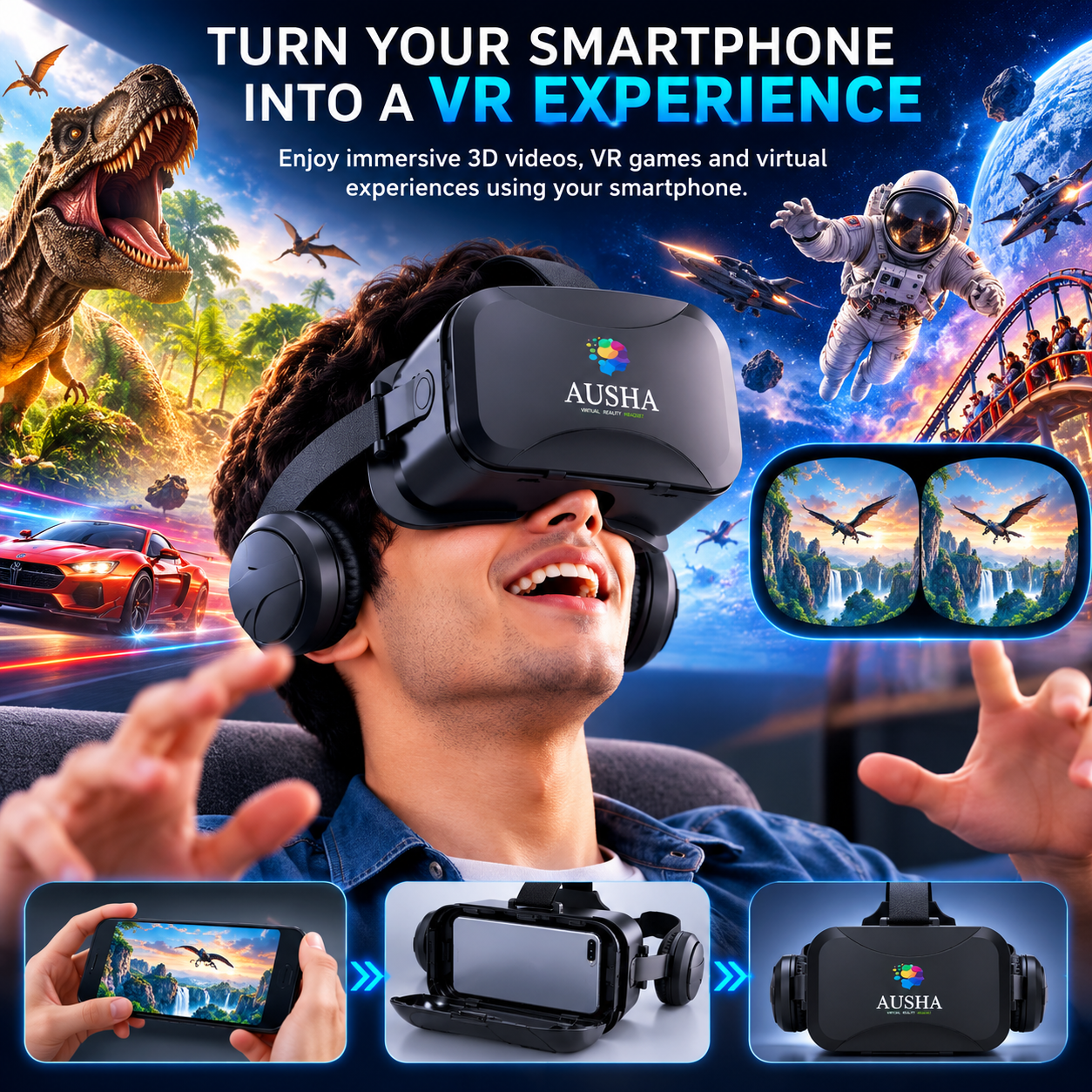
You don't need a dedicated VR computer or standalone VR console to explore virtual reality. AUSHA Mobile VR Glasses use your smartphone as the display and content source, allowing you to enjoy compatible VR applications and split-screen 3D content directly through the headset.
Whether you want to watch immersive 3D videos, explore 360° experiences, enjoy compatible VR games or simply experience your favourite content in a more engaging way, AUSHA brings the experience closer to you.
Just insert your smartphone → adjust the headset → put it on → start exploring.
👓 Immersive 120° Field of View
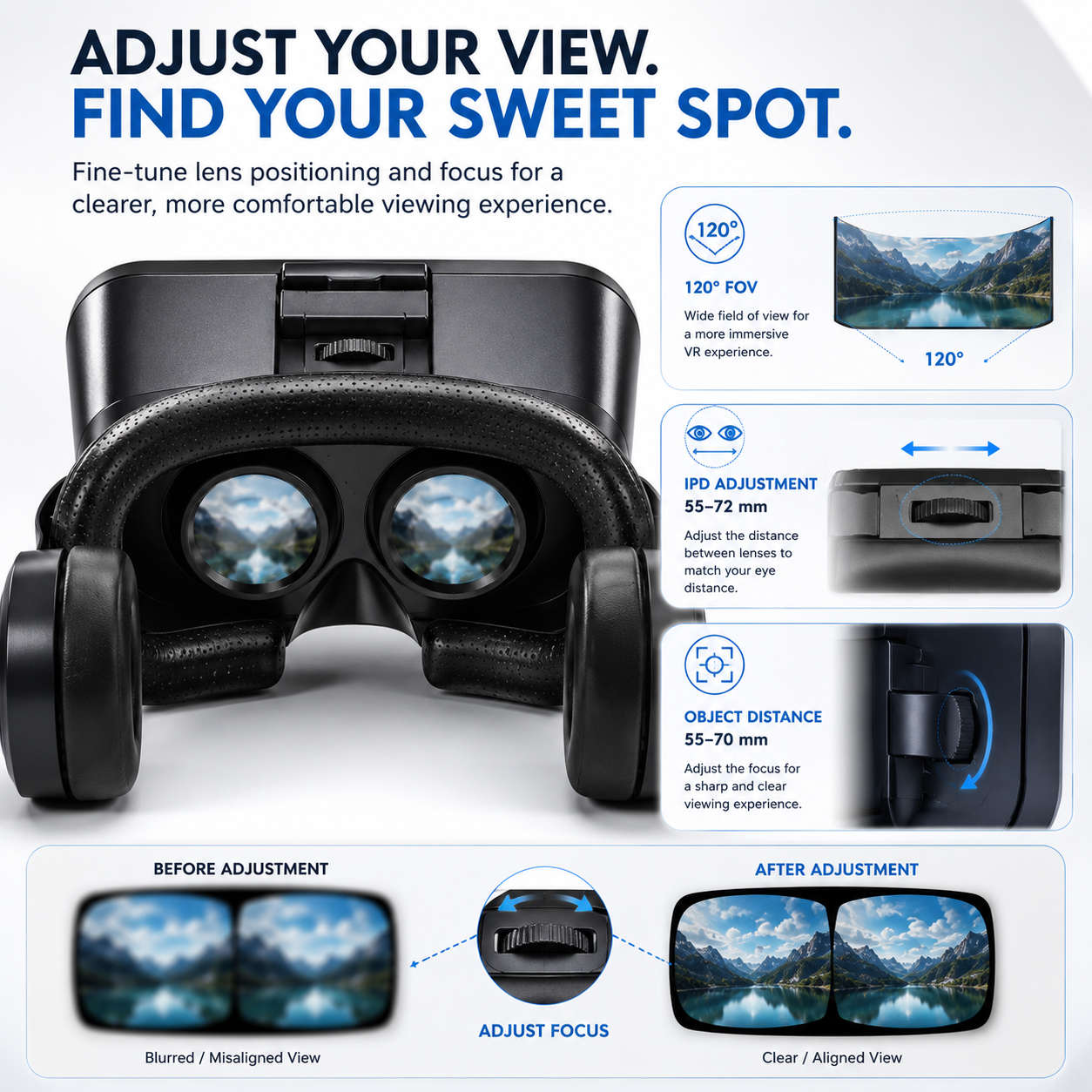
Step into a wider visual environment with a 120° FOV designed to create a more immersive viewing experience. Instead of concentrating on a small portion of the screen, the wide viewing angle helps create a more expansive virtual environment around you.
The headset is designed for split-screen 3D viewing, allowing the smartphone display to provide separate left and right visual perspectives through the two optical lenses.
Experience more than just a phone screen.
Watch compatible VR content with a viewing experience designed to feel more expansive, engaging and immersive.
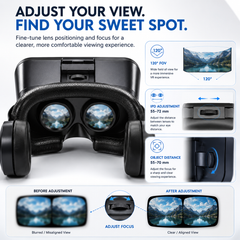
🎯 Adjustable IPD for a More Personalized View
Everyone's eyes are positioned slightly differently. AUSHA VR Glasses feature adjustable interpupillary distance (IPD) from 55–72 mm, allowing you to adjust the lens alignment according to your eye position.
Simply fine-tune the adjustment until the two images align comfortably and the viewing experience appears clear and natural.
IPD Adjustment: 55–72 mm
This makes the headset more adaptable for different users rather than relying on one fixed lens position.
🔍 Adjustable Object Distance & Focus
AUSHA also provides object-distance adjustment from 55–70 mm, allowing you to fine-tune the optical focus according to your viewing preference.
This adjustment is particularly useful when the image appears slightly blurred or when you need to fine-tune the viewing distance for better clarity.
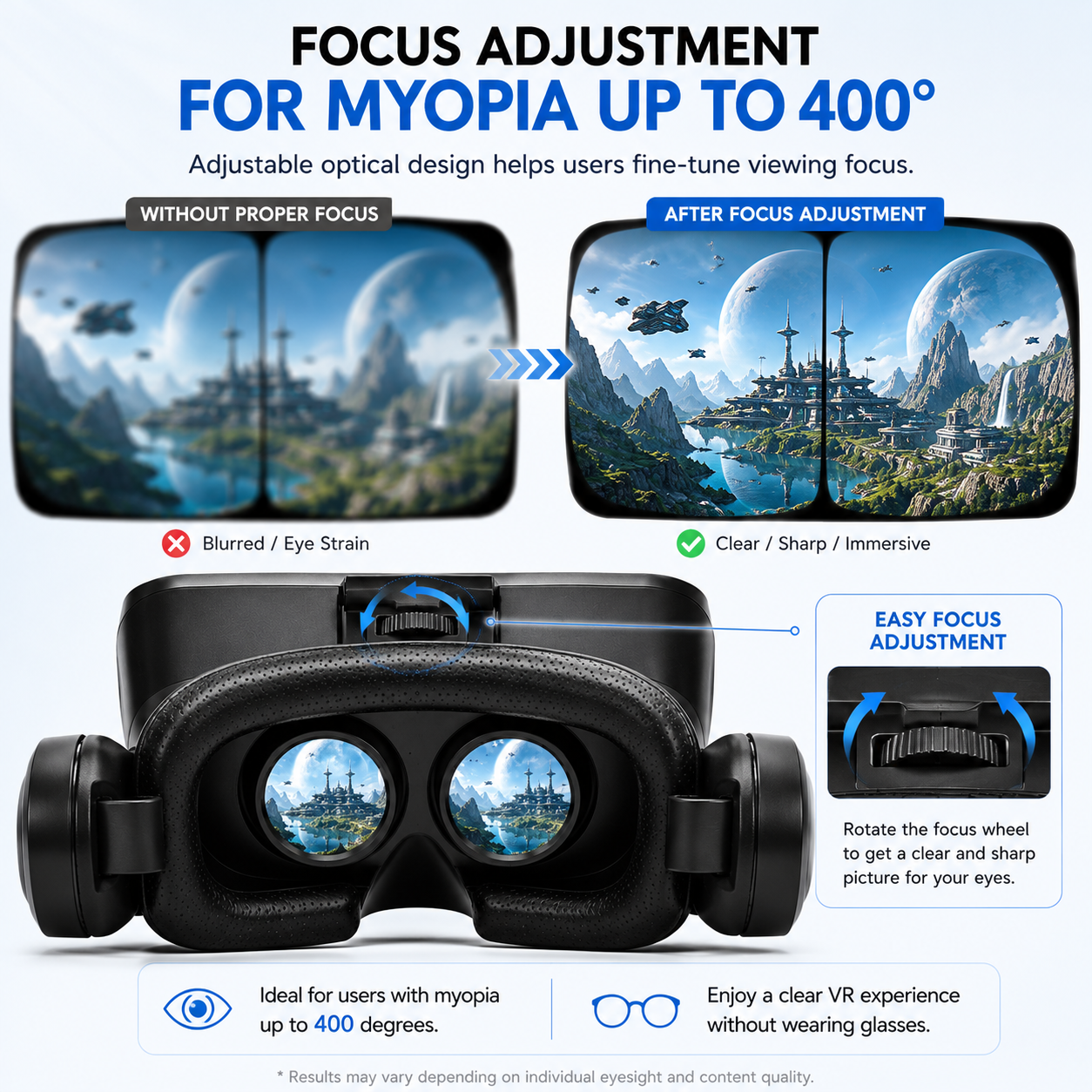
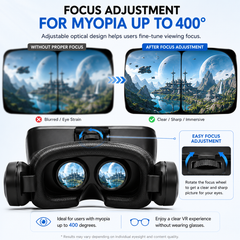
Support for users with myopia
The optical adjustment system is designed to support users with myopia up to 400°, allowing the viewing focus to be fine-tuned for a more comfortable experience.
Please note: The headset does not replace prescription eyewear. Users should adjust the optical settings according to their individual viewing needs.
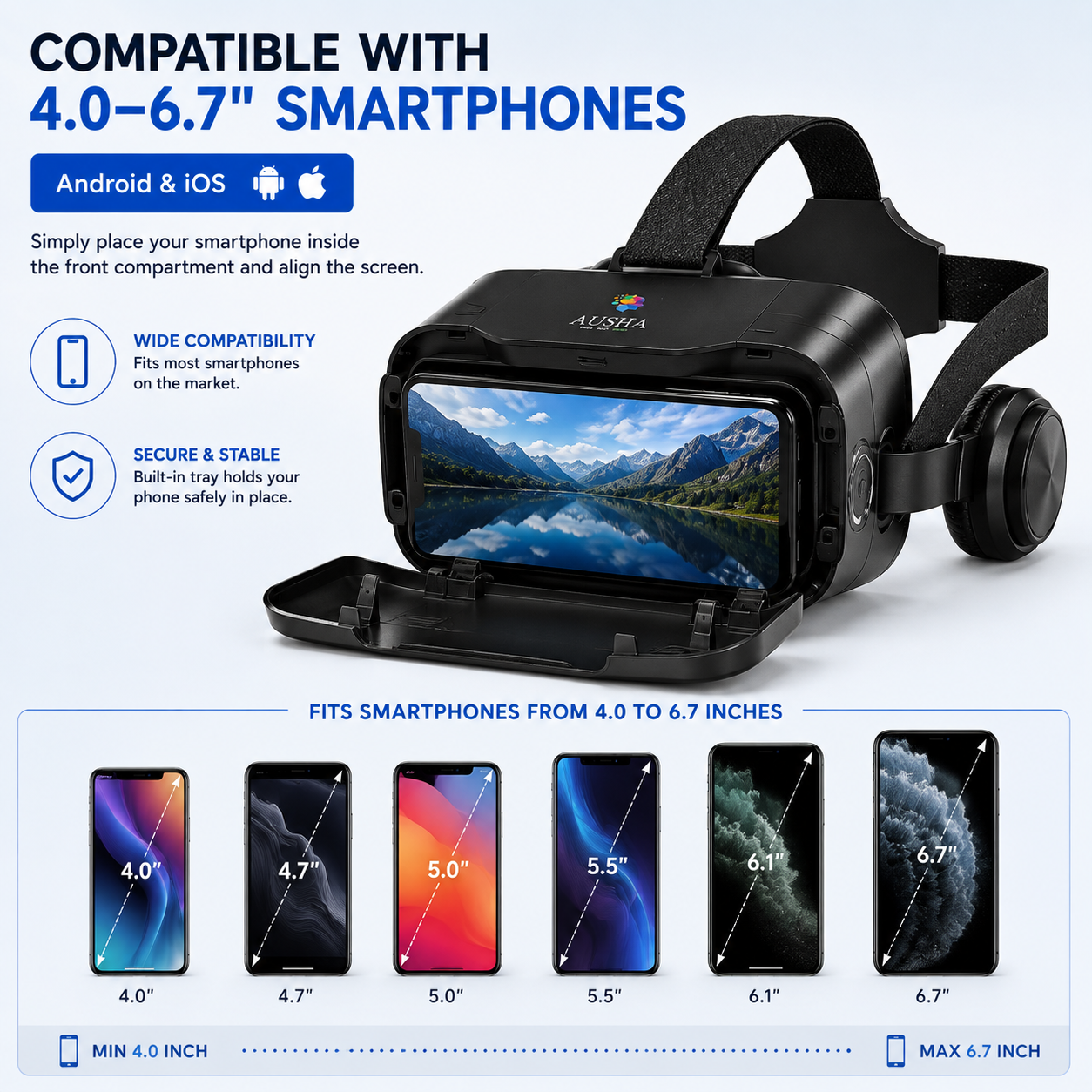
📱 Compatible with 4.0–6.7" Smartphones
Your smartphone is the heart of the AUSHA mobile VR experience.
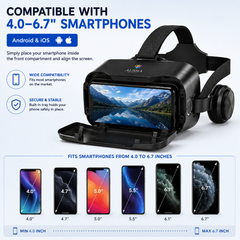
The headset accommodates smartphones with screen sizes from approximately 4.0 to 6.7 inches, making it compatible with a wide range of modern Android and iOS smartphones.
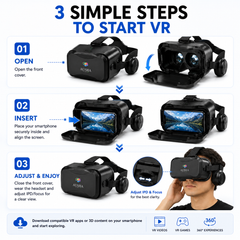
Simply open the front cover, position your smartphone securely in the holder and align the screen before closing the cover.
Compatible with:
Android Smartphones
iOS Smartphones
4.0–6.7" Screen SizesBefore use, make sure your phone supports the VR application or 3D content you intend to watch.
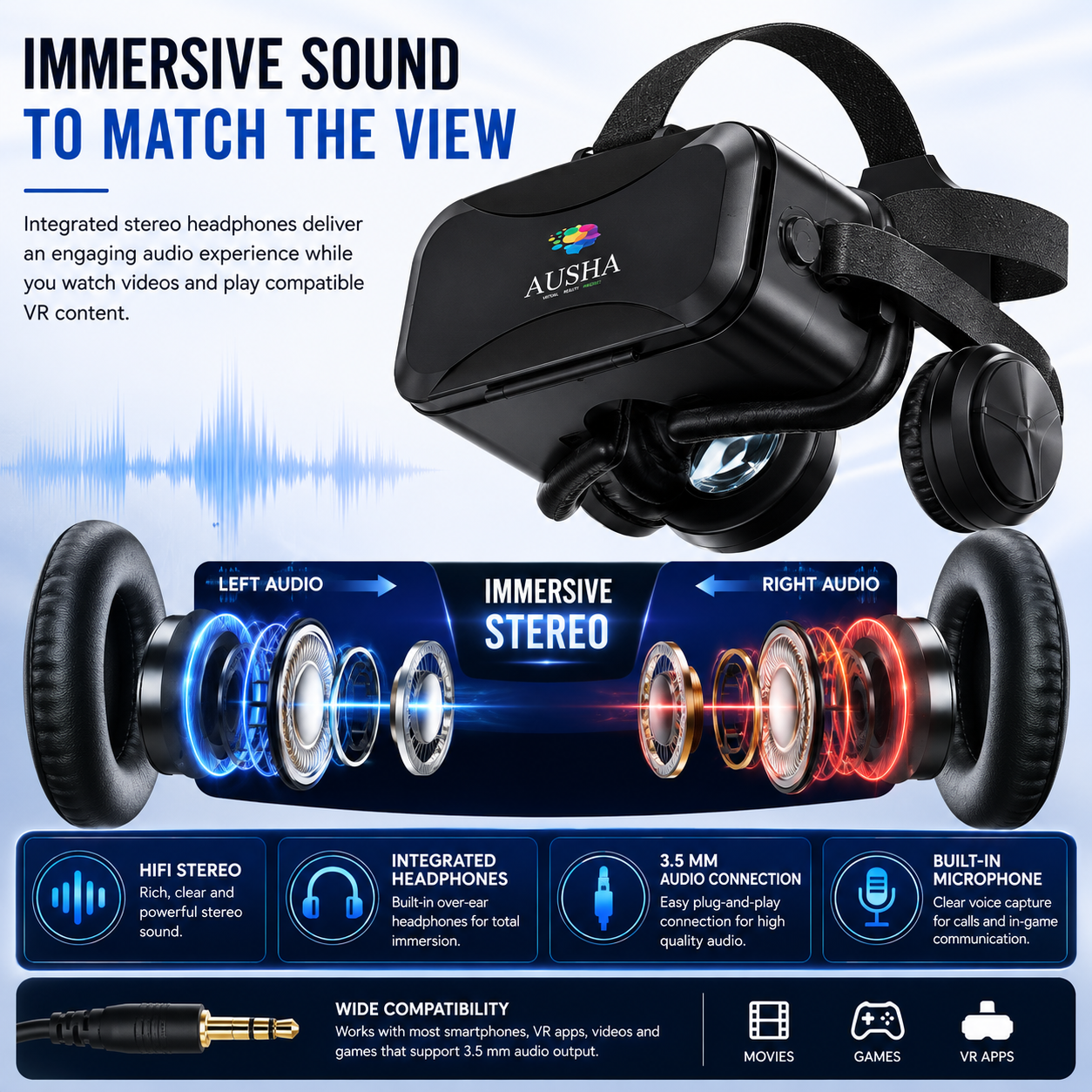
🎧 Integrated HiFi Stereo Headphones
VR is not only about what you see — sound plays an equally important role in creating an immersive experience.
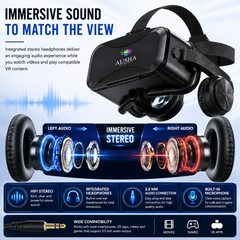
AUSHA VR Glasses feature integrated stereo headphones positioned around your ears, allowing compatible audio content to be played directly through the headset.
The integrated headphone design helps bring audio closer to the viewing experience, making compatible movies, games, VR videos and other content more engaging.
🎵 Left + Right Stereo Audio
Experience dedicated left and right audio channels for a more immersive stereo presentation.
HiFi Stereo Audio
Integrated Headphones
3.5 mm Audio Connection
Built-in MicrophoneThe 3.5 mm audio connection allows compatible smartphones to connect to the headset for audio playback.
🎮 Made for VR Games, Movies & 3D Content
AUSHA Mobile VR Glasses give you the flexibility to explore different types of compatible smartphone-based VR content.
🎮 VR Gaming
Transform compatible VR games into a more immersive visual experience. Explore virtual environments, racing experiences, action games, simulations and other smartphone-supported VR titles.
🎬 3D Movies & Videos
Enjoy compatible 3D video content through the headset's split-screen viewing system. The dual-lens optical design helps create the feeling of depth from supported content.
🌎 360° Experiences
Explore compatible 360° videos and virtual environments and look around the scene as the content allows.
🥽 Virtual Experiences
From educational demonstrations to travel experiences and interactive VR applications, your smartphone can become the gateway to a wide variety of compatible virtual content.
🧠 How Does AUSHA Mobile VR Work?
The concept is simple.
Your smartphone generates the VR content and display, while the AUSHA headset provides the optical viewing system that positions and magnifies the smartphone's split-screen image for your eyes.
Smartphone
Your phone runs the VR application, video or compatible 3D content.
↓
Split-Screen Content
Compatible VR content displays separate left and right images.
↓
Dual Optical Lenses
The headset's lenses present the two visual perspectives to your eyes.
↓
Immersive Viewing
Your brain combines the two perspectives to create a more immersive 3D viewing experience.
No complicated setup. No standalone operating system inside the headset. Your smartphone does the work.
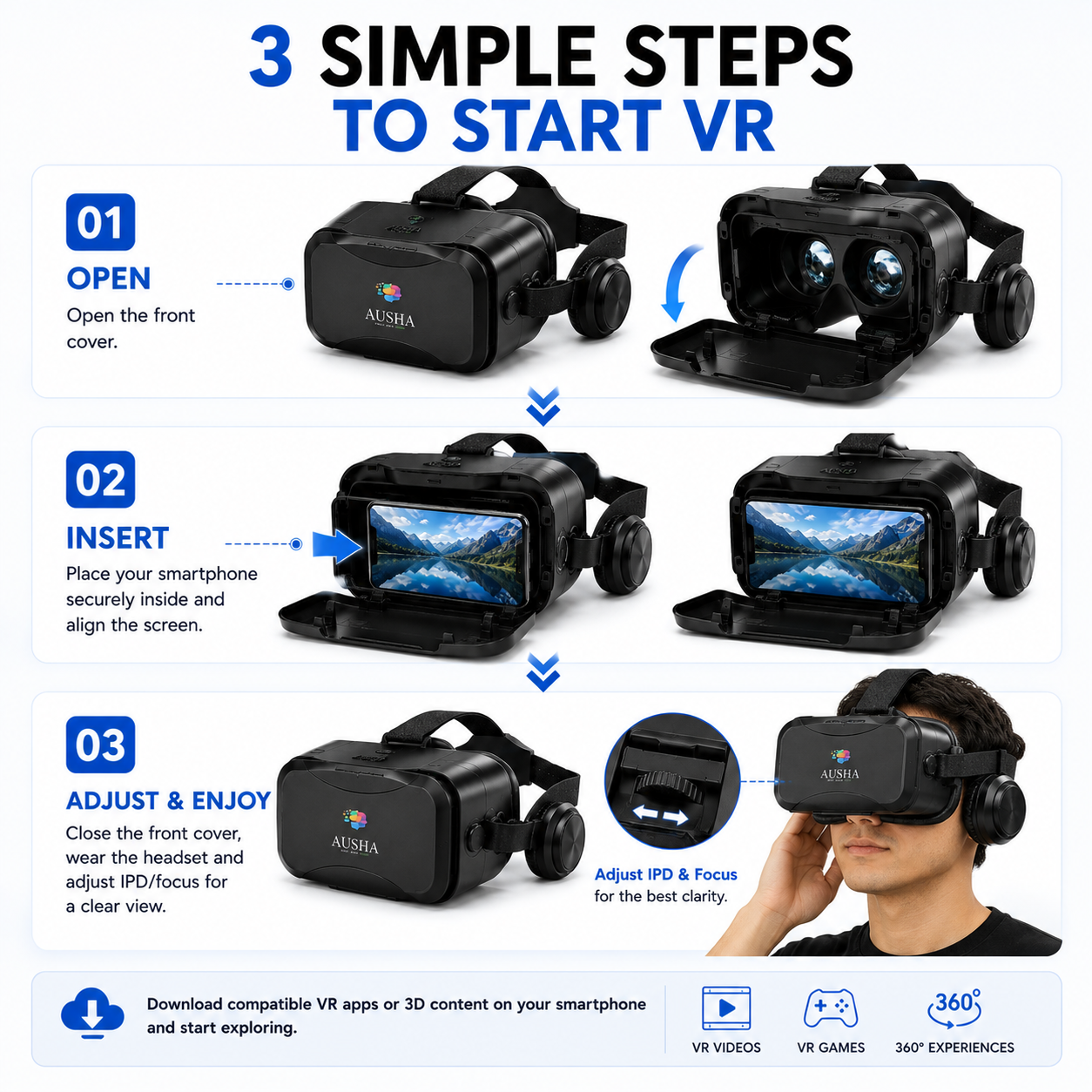
🪄 Easy 3-Step Setup
Getting started is simple.
01 — OPEN
Open the front cover of the AUSHA VR headset.
02 — INSERT
Place your compatible smartphone securely inside the front compartment and align the display correctly.
03 — ADJUST & ENJOY
Close the cover, put on the headset, adjust the head strap, fine-tune the IPD and object distance, and enjoy your compatible VR content.
That's it.
Download a compatible VR app or 3D/360° content on your smartphone and start exploring.
🧩 Adjustable Head Strap for a Personalized Fit
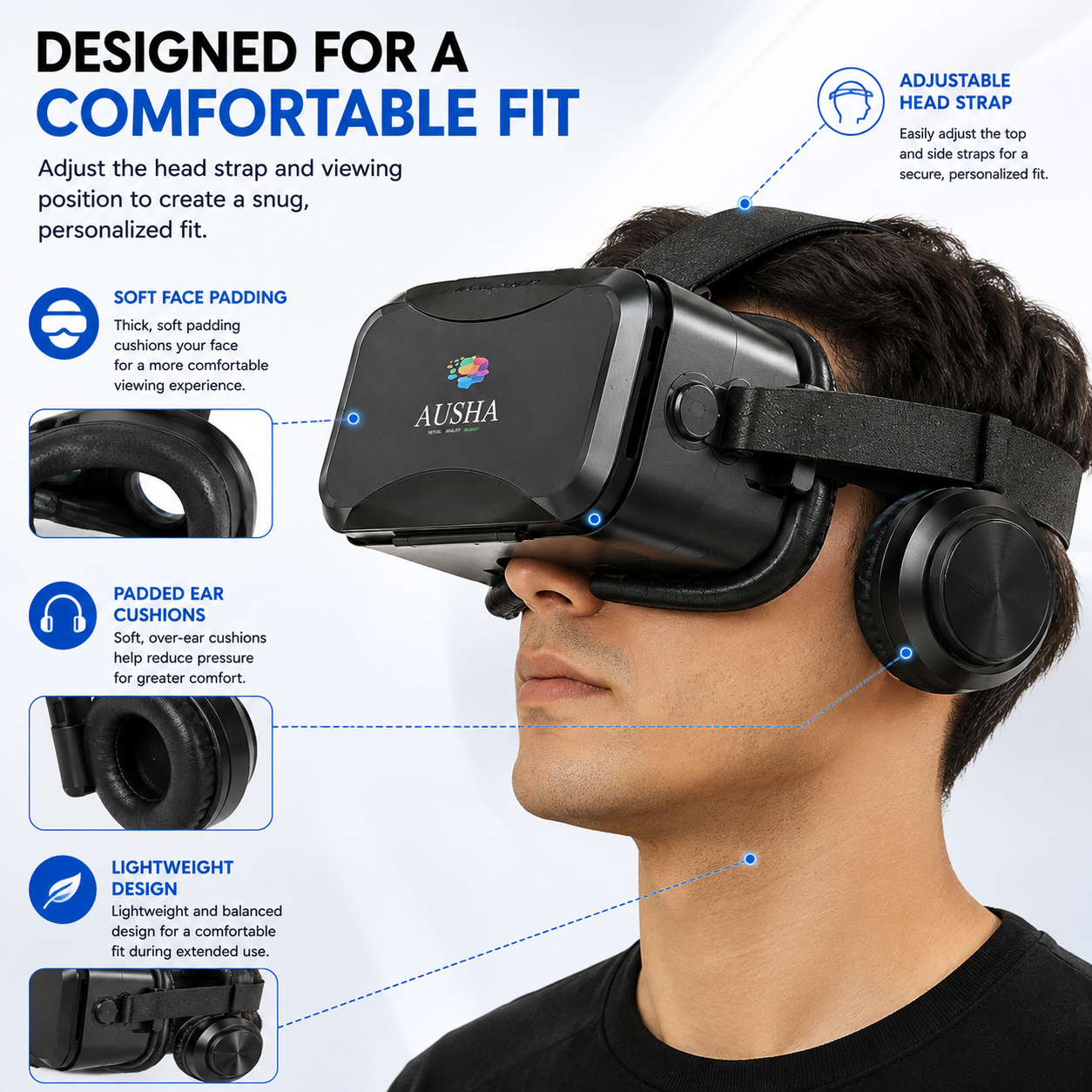
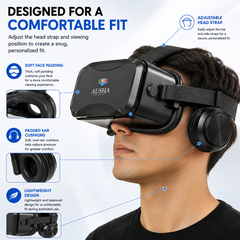
AUSHA VR Glasses are designed with an adjustable multi-point head strap, allowing the headset to be positioned securely around your head.
Adjust the straps according to your head size and preferred fit. The goal is a secure fit without unnecessarily tightening the headset.
The adjustable design also helps keep the headset properly positioned while you move your head during compatible VR experiences.
☁️ Soft Facial Padding
The area surrounding your eyes comes into direct contact with the headset, so comfort matters.
AUSHA features soft facial padding around the viewing area to create a cushioned interface between the headset and your face.
This helps provide a more comfortable fit while using the headset and also helps reduce direct pressure from the hard outer housing against the face.
🎧 Padded Ear Cushions
The integrated stereo headphones feature padded ear cushions designed to sit comfortably around the ears.
Combined with the adjustable head strap and facial padding, the headset is designed to provide a more comfortable overall fit while enjoying compatible content.
✨ Designed for an Engaging Viewing Experience
Every part of the headset works together to create the experience:
120° FOV
A wide viewing angle for an immersive visual field.Dual Optical Lenses
Designed for split-screen 3D smartphone content.55–72 mm IPD Adjustment
Fine-tune lens alignment according to your eye position.55–70 mm Object Distance
Adjust viewing focus for better clarity.Up to 400° Myopia Support
Optical focus adjustment designed to support users with myopia up to 400°.95% Lens Transparency
High-transparency optical lenses for clear light transmission.42 mm PMMA Lenses
Designed for smartphone-based VR viewing.
🎥 Watch. Play. Explore.
With the right smartphone content, AUSHA VR Glasses can take you into a variety of experiences.
Watch movies in a new way
Enjoy compatible 3D movies and videos through a more immersive viewing setup.
Explore virtual worlds
Experience compatible 360° videos and virtual environments.
Play VR games
Explore compatible smartphone VR games with immersive visuals and integrated stereo sound.
Discover educational content
Use compatible VR applications for demonstrations, virtual tours, simulations and learning experiences.
Travel virtually
Explore destinations, landmarks and environments through compatible 360° content.
Your phone already has the screen. AUSHA gives you the VR viewing experience.
🎯 Built Around Adjustability
AUSHA isn't designed around a single fixed viewing position.
You can adjust:
Head Strap
For a secure and personalized fit.IPD — 55–72 mm
For lens alignment according to your eye position.Object Distance — 55–70 mm
For optical focus adjustment.These controls allow different users to fine-tune the headset rather than simply putting it on and accepting a fixed viewing position.
🔊 See More. Hear More.
The combination of visual and audio immersion is what makes the AUSHA experience more engaging.
The optical system handles the visual experience while the integrated stereo headphones deliver the corresponding audio directly around your ears.
Visual immersion + stereo sound = a more complete VR experience.
For compatible content, the headset can provide both the visual and audio components without requiring a separate pair of headphones.
📐 Premium Optical Design
The AUSHA VR headset uses PMMA optical lenses with a 42 mm lens size and approximately 95% lens transparency.
The optical system is combined with adjustable IPD and object distance controls so that users can fine-tune the headset according to their viewing position.
The result is a smartphone-based VR system that is simple to operate while giving users meaningful control over how they see the content.
🖤 Built for Everyday VR Entertainment
With its black ABS construction, padded viewing area, integrated headphones and adjustable straps, AUSHA VR Glasses combine a practical headset design with the functionality needed for smartphone-based VR.
The headset measures approximately:
200 × 110 × 216 mm
and weighs approximately:
460 g
Its integrated design brings the optical system, smartphone holder, head straps and stereo headphones together into one complete VR viewing setup.
📲 Your Phone Becomes the Gateway
One of the biggest advantages of mobile VR is flexibility.
You don't need to purchase a dedicated VR computer just to explore smartphone-compatible VR content.
If you already have a compatible smartphone, you can use it with AUSHA VR Glasses to access a wide variety of compatible:
VR Apps
VR Games
3D Videos
360° Videos
Virtual Tours
Interactive Experiences
Educational ContentSimply search your smartphone's app store for compatible VR content, install the application or load compatible content, place your phone inside the headset and begin.
🛠️ Simple Controls, Personalized Viewing
The headset is designed to keep the important adjustments within easy reach.
Fine-tune your viewing position, adjust the focus and position the headset securely using the adjustable straps.
Once your preferred settings are established, you can simply place your phone inside, close the front cover and start your next VR session.
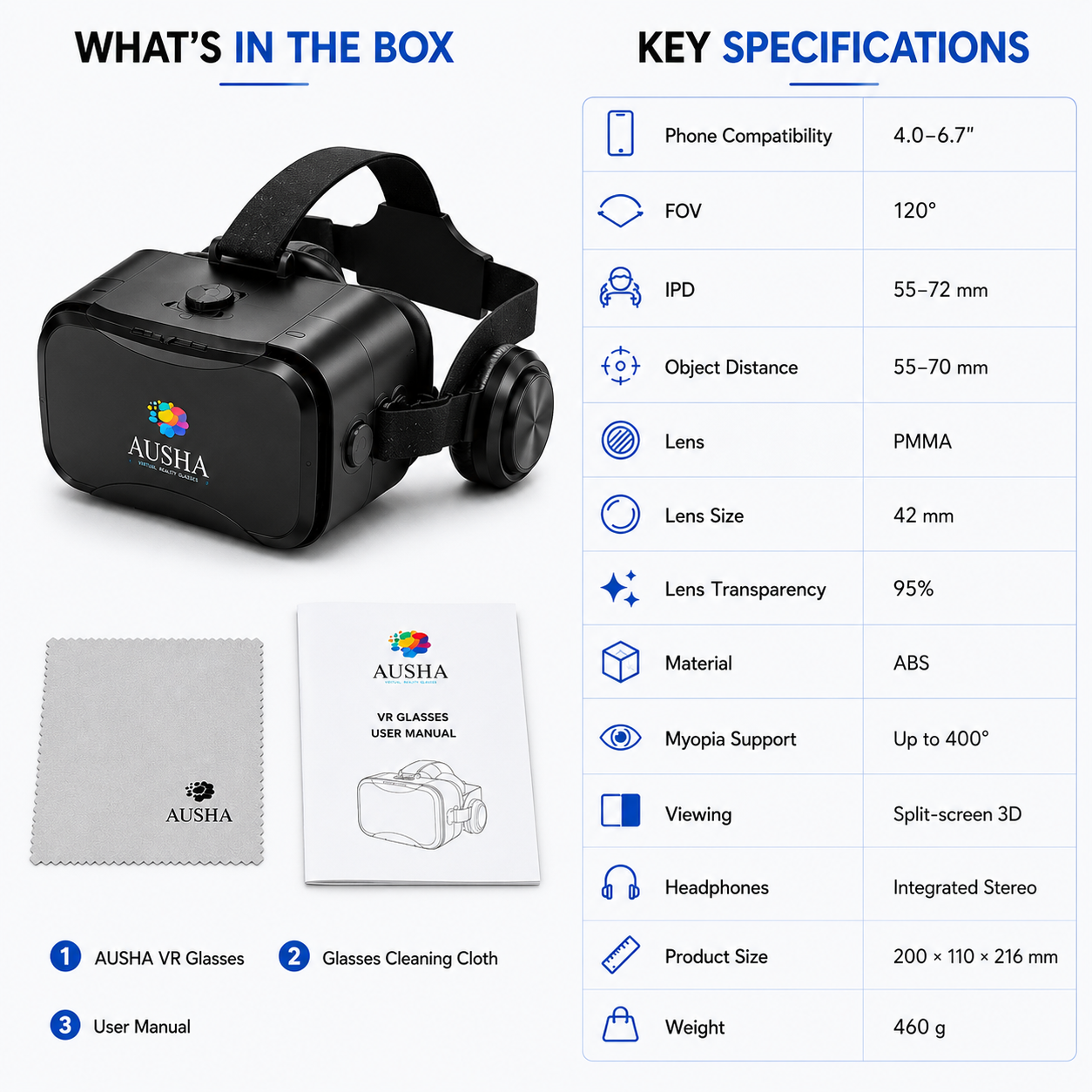
📦 What's Included
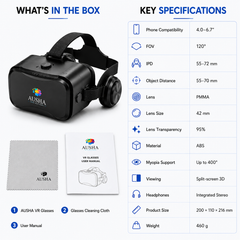
Every AUSHA VR Glasses package includes:
1 × AUSHA 3D Mobile VR Glasses
1 × Glasses Cleaning Cloth
1 × User ManualEverything you need to get started with smartphone-based VR viewing is included.
⚙️ Key Specifications
Specification Details Product Type 3D Mobile VR Glasses Brand AUSHA Smartphone Compatibility 4.0–6.7 inches Compatible Platforms Android & iOS smartphones Viewing Method Split-Screen 3D Field of View 120° IPD Adjustment 55–72 mm Object Distance 55–70 mm Lens Material PMMA Lens Size 42 mm Lens Transparency 95% Myopia Support Up to 400° Headphones Integrated Stereo Audio Connection 3.5 mm Material ABS Product Dimensions 200 × 110 × 216 mm Product Weight 460 g
💡 Before You Start
For the best experience, make sure your smartphone:
- Fits within the 4.0–6.7 inch supported screen range.
- Has sufficient battery charge before extended use.
- Supports the VR application or 3D content you intend to use.
- Is securely positioned and properly aligned inside the headset.
- Has compatible split-screen/VR content for the intended experience.
For the clearest image, take a moment to adjust the IPD and object-distance controls until the image appears properly aligned and focused.
👓 Important Viewing Note
VR viewing can feel intense, especially for users who are new to immersive content. Start with shorter viewing sessions and take breaks whenever your eyes feel tired, strained or uncomfortable.
The AUSHA headset is intended for smartphone-based VR and compatible 3D content. The actual level of immersion, 3D effect and viewing experience depends on the smartphone, application and content being used.
🚀 Step Into Your Next Experience
Your smartphone already contains an incredible display, powerful processor and access to thousands of apps and videos. AUSHA 3D Mobile VR Glasses give you a simple way to experience compatible content through an immersive headset format.
From VR games and 3D movies to 360° videos, virtual tours and interactive experiences, simply insert your smartphone, adjust the headset and explore.
AUSHA 3D Mobile VR Glasses
Your Smartphone. Your Content. Your Virtual World.
- Choosing a selection results in a full page refresh.